Short answer: For a typical small business app, a no-code builder is the cheapest and fastest way to launch, a freelancer fits a custom feature or two on a limited budget, and an agency fits an app with a custom backend that several people must keep running. Whichever you pick, three things decide whether you stay in control: the app is published under your Apple and Google developer accounts, a signed contract assigns the code and design to your business, and you get access to the source code and project files before the final payment.
This guide is for owners and managers in the US, UK, Canada and Australia who are about to ask for quotes and want to compare like with like. It is general information, not legal or tax advice; contract and worker-classification rules differ by state and country, so have a lawyer or accountant review your final agreement. Sources are listed at the end and were checked on 1 November 2026.
The four ways to get an app built
Most small businesses end up choosing between these routes. None of them is "best" in general; each is right for a different job.
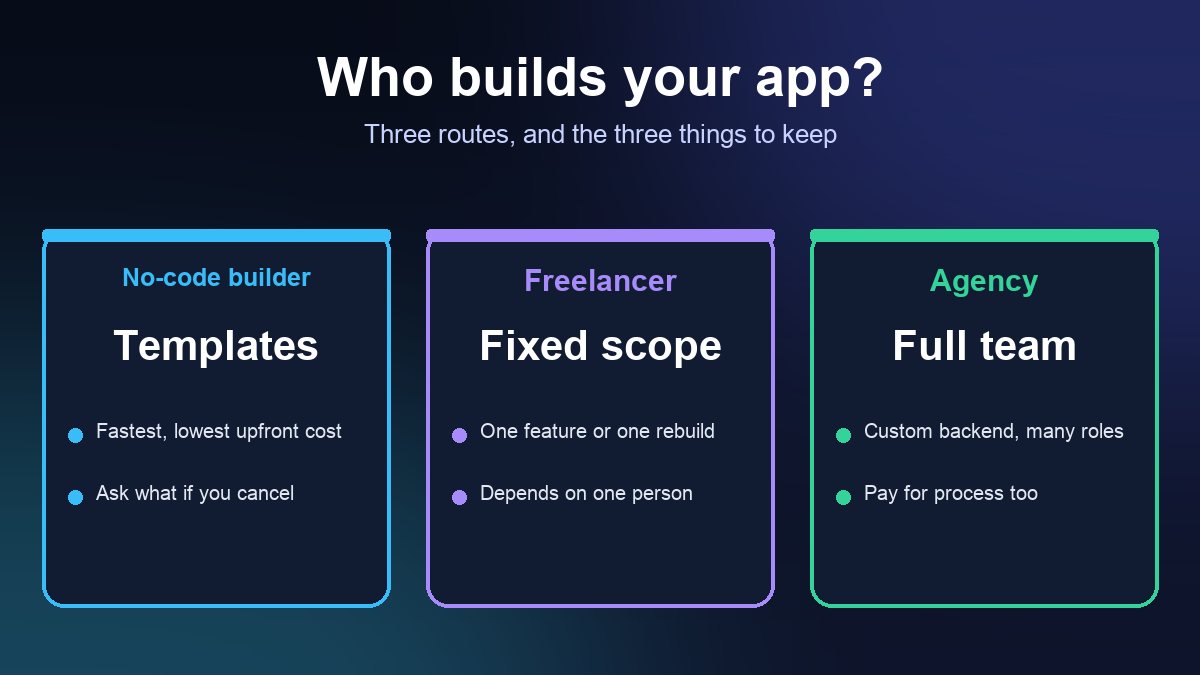
- No-code or low-code builder. You configure screens, menus, bookings or ordering from templates and publish from the platform. Strong for restaurants, salons, gyms, events and simple catalogues. The limits are the platform's own features and its subscription, so ask what happens to the app if you cancel. Our comparison of app builder platforms covers the main options.
- Freelance developer. One person, usually a good fit for a defined scope such as a custom booking flow, an integration with your point-of-sale or a rebuild of a stalled project. Lower overhead, but you depend on one person's availability and skills.
- Agency or studio. A team with design, development, testing and project management. Better for a custom backend, several user roles or an app that must keep working through staff changes. You pay for the process as well as the code.
- In-house hire. Only worth it when the app is the core of the business and there is steady work for a developer after launch.
If you have not yet decided whether you need an app at all, read mobile app vs website first. A well-built mobile site solves many problems an app would not.
How to choose, in order of questions
- Can a template do 80% of this? If your list is menu, ordering, loyalty, bookings, push notifications and a contact form, a builder almost certainly covers it. Start there and price the custom gap separately.
- Is the missing piece one feature or a whole system? One feature points to a freelancer on a fixed scope. A system with logins, payments, an admin panel and integrations points to an agency, or to a builder plus an integration specialist.
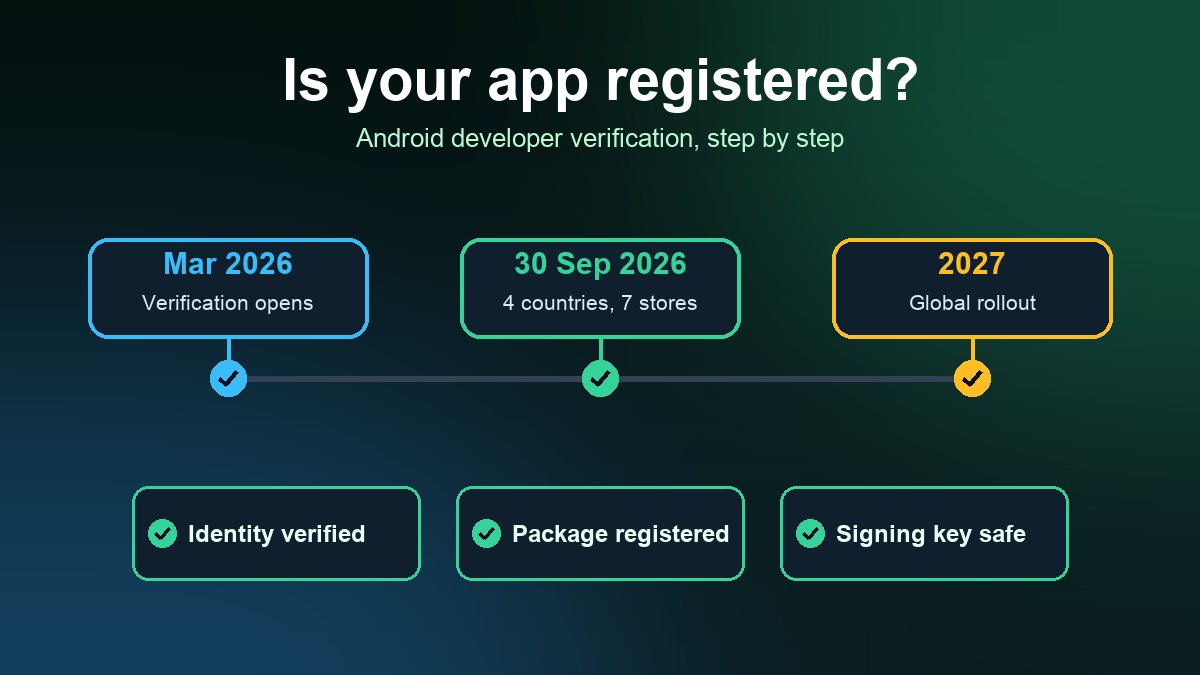
- Who maintains it in a year? Apple and Google ship new operating system versions and policy changes every year, and apps that are not updated eventually break or get removed. Google's new developer verification requirements are a recent example. Decide before signing who does updates and what that costs per month.
- What is the total first-year cost? Development is only one line. Add the store membership, any monthly platform or backend fees, design assets, testing devices and the fee each store takes on in-app sales. Our guides to what an app costs to build and App Store and Google Play fees list those items so quotes can be compared on the same basis.
The contract points that matter most
1. Who owns the code and design
Many owners assume that paying for an app means they own it. In the US that is not automatic for work done by an independent contractor. The US Copyright Office explains in its guidance on works made for hire that a commissioned work counts as "made for hire" only if it falls into one of nine listed categories and the parties sign a written agreement saying so. A custom app does not clearly fit those categories, so do not rely on "work for hire" wording alone. Ask your lawyer for a written assignment of copyright from the developer to your business, covering code, designs, icons, copy and any third-party licences you are expected to keep paying for. Contracts in the UK, Canada and Australia handle this differently, but the practical advice is the same: put ownership in writing.
2. Whose accounts the app is published under
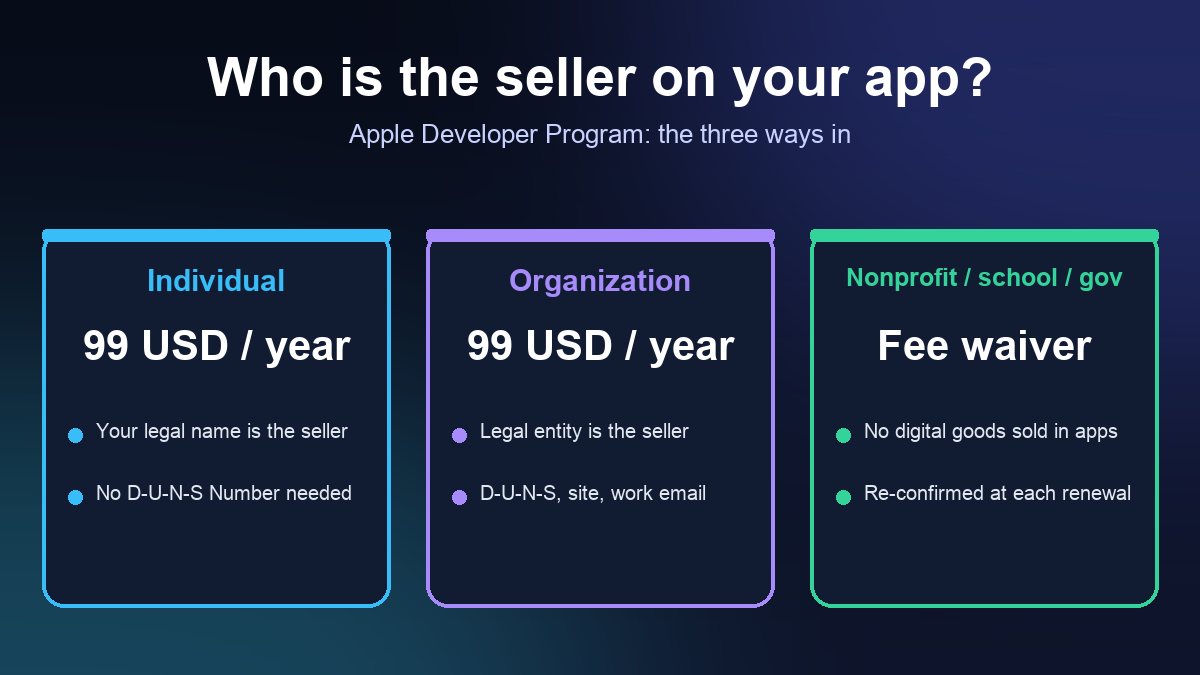
The name customers see as the seller on the App Store comes from the developer account used to publish. If the builder publishes under its own account, you may not be able to move the app, its reviews or its subscribers if you part ways. Enroll your business yourself, then add the developer as a team member with only the access needed. Our guide to the Apple Developer account for a business walks through individual versus organization enrollment, the D-U-N-S Number and the nonprofit fee waiver. Do the same for Google Play.
3. Access to source code and project files
Require delivery of the full source code in a repository you control (for example a private repository under your own account), plus design files, build instructions, API keys held in your name and a list of third-party services the app depends on. Tie the final payment to that handover. Without it you cannot hire a new developer later without starting over.
4. Milestones, testing and acceptance
Pay in stages against working builds, not against promises. Ask for test builds you can install yourself, through TestFlight on iPhone and Google Play's testing tracks on Android, before each milestone is accepted. Define what "done" means: which devices, which operating system versions and which flows (sign-up, checkout, booking, refund).
5. Compliance is part of the scope, not an extra
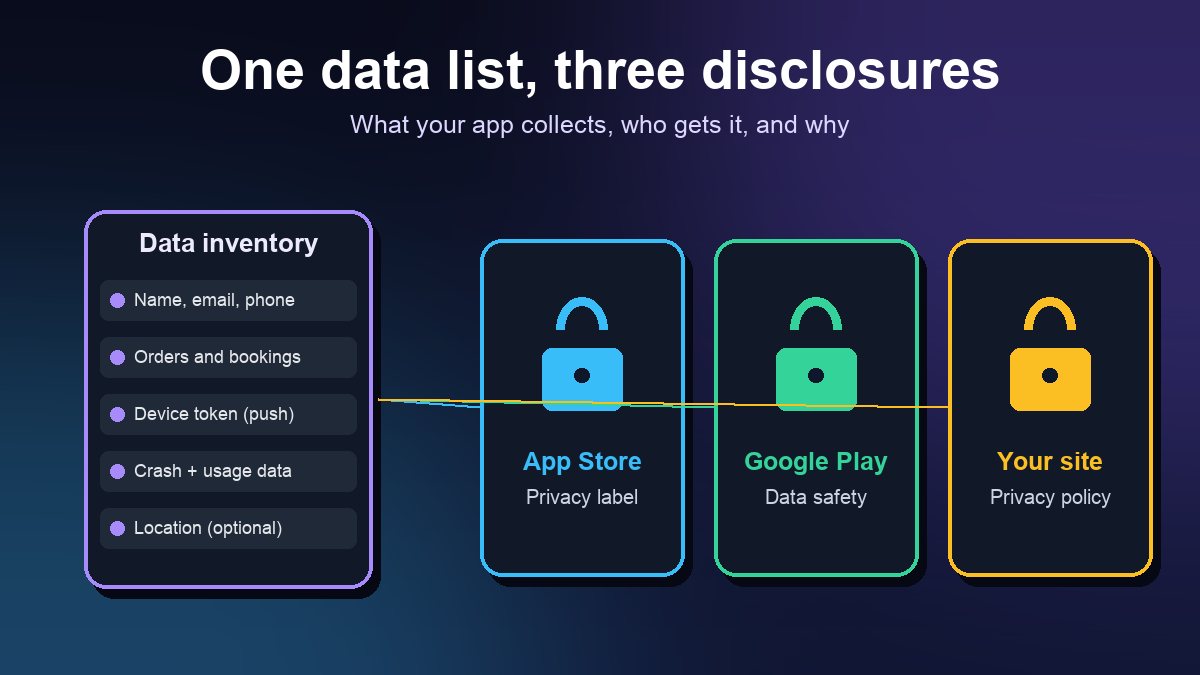
Make the builder responsible for delivering what the stores will ask for at review: accurate privacy labels and Data safety answers, a privacy policy, account deletion where the app lets people create accounts, and basic accessibility. Ask which of these are included in the quote. Rejections for missing disclosures are common and slow a launch by days.
6. Freelancer or employee?
If you hire an individual, the IRS looks at the real relationship rather than the label in the contract. Its guidance groups the evidence into three categories: behavioral control (do you direct how the work is done), financial control (who sets pay, supplies tools and bears expenses) and the type of relationship (written contracts, benefits, how permanent it is). A developer who sets their own hours, uses their own equipment and works for several clients is usually in a different position from someone you manage daily. Ask your accountant about collecting a W-9 form and any year-end reporting before the first payment. UK, Canadian and Australian owners should check the equivalent rules with a local adviser.
How to vet a developer or agency
- Ask for live apps in the stores that they built, and install them. A portfolio of mockups is not evidence.
- Speak to a past client with an app of similar size, and ask what happened after launch when something broke.
- Ask who writes each part. Agencies sometimes subcontract; you should know who has access to your code and customer data.
- Ask for a written scope with screens, features and exclusions, plus how change requests are priced.
- Ask what happens at the end. If the relationship stops, how long does handover take and what is delivered?
Red flags
- The builder insists on publishing under its own developer account "to make it easier".
- The quote has one lump sum and no milestones.
- No mention of maintenance, operating system updates or store policy changes.
- They will not name the services the app depends on, or those services bill you through the builder with no way to take them over.
- Pressure to sign quickly, or a price that is far below every other quote with no explanation of what is left out.
A simple decision rule
- List the five things your app must do on day one and mark each as standard or custom.
- If most are standard, start with a builder and ask for a trial or a monthly plan before committing to a long contract.
- If a few are custom, get two or three written quotes from freelancers on the same scope, and compare what is included.
- If the custom part is a full system, interview two agencies and ask the same ownership, accounts and handover questions.
- Before paying anything, enroll your own developer accounts and read the contract with a lawyer.
When you are ready to launch, run through the app launch checklist for small businesses and, if you are still weighing the case for an app, why a business needs a mobile app in 2026 covers the commercial side.
Sources: US Copyright Office, Circular 30: Works Made for Hire; IRS, Independent contractor (self-employed) or employee?; Apple Developer, Become a member of the Apple Developer Program. All pages checked 1 November 2026.
Frequently asked questions
Should a small business hire a freelancer or an agency to build an app?
A freelancer usually fits a defined scope such as one custom feature, an integration or a rebuild. An agency fits an app with a custom backend, several user roles or a need to keep running through staff changes. If most of what you need is standard, such as menus, ordering, bookings and push notifications, start with a no-code builder and price the custom gap separately.
Do I own the app if I pay a freelancer to build it?
Not automatically. The US Copyright Office says a commissioned work counts as made for hire only if it falls into one of nine listed categories and both parties sign a written agreement saying so, and a custom app does not clearly fit them. Ask a lawyer for a written assignment of copyright to your business that covers code, designs and assets.
Whose developer account should the app be published under?
Yours. The seller name customers see comes from the account that publishes the app, and moving an app between accounts later is harder than enrolling correctly at the start. Enroll your business in the Apple Developer Program and Google Play, then add your developer or agency as a team member with limited access.