Short answer: the best restaurant app builder is the one that lets you change your menu in seconds, take orders and payments without a per-order commission, keep your customer list, and publish a real app to both the App Store and Google Play. Everything else is a nice-to-have. This guide explains how to compare the options in 2026 and what each cost line really is.
Disclosure: 2CreateApps is the no-code app builder this site belongs to. We describe the other options by category and link to official sources so you can check current features and prices yourself.
What a restaurant app actually needs
- Fast menu management: mark an item sold out, add a daily special or change a price from your phone, without a review queue.
- Online ordering for pickup and (if you deliver) delivery zones, with clear prep times.
- Payments through a PCI DSS compliant processor; you should never store card numbers yourself (see the PCI Security Standards Council).
- Push notifications for order status and occasional offers.
- Loyalty (points or visits) so first-time customers come back.
- Reservations or waitlist if you are a dine-in restaurant.
The four types of options
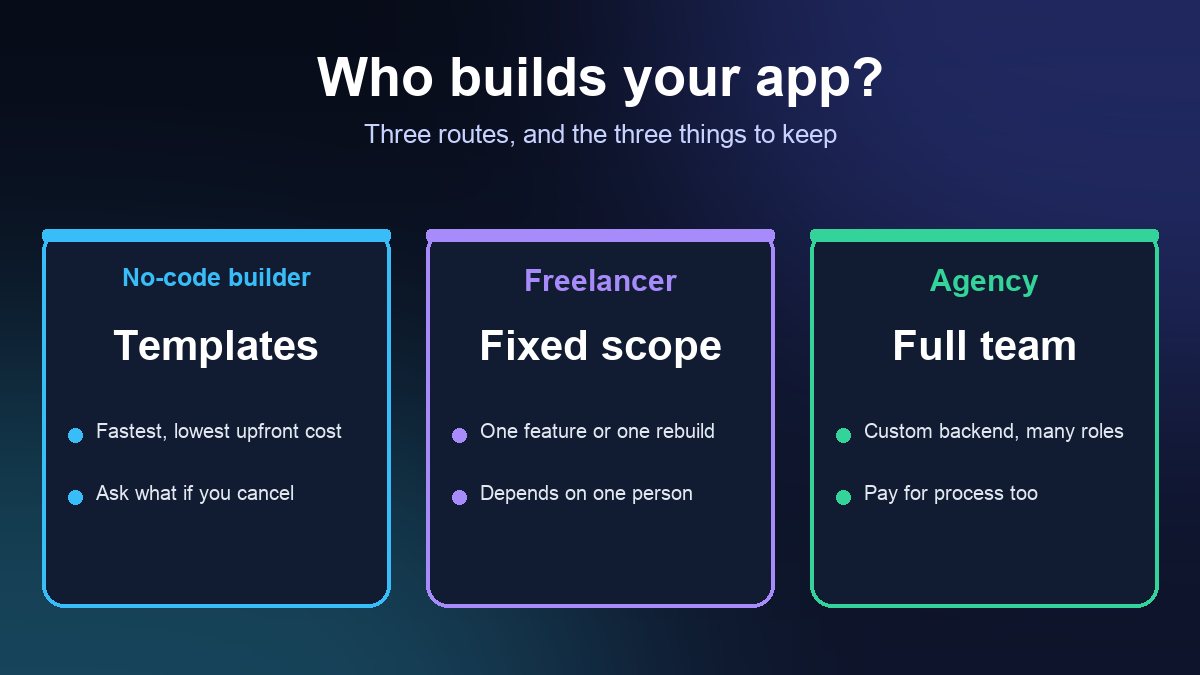
1. Branded no-code app builders
Builders such as 2CreateApps give you your own app with your logo in both stores, a menu builder with modifiers (extra cheese, no onions), ordering, loyalty and push notifications. You pay a subscription instead of a commission per order. Check the current plans on our pricing page.
2. Commission-free ordering platforms
Restaurant-specific platforms (ChowNow is the best-known US example) provide branded ordering apps and websites for a monthly fee rather than a share of each order. They are polished, but you work inside their ecosystem; compare the contract length and what happens to your data if you leave.
3. POS-linked ordering
If you already run Square or Toast in the restaurant, their online ordering connects straight to the kitchen and the POS. Often this is a mobile website rather than a standalone app in the stores, which is fine for many restaurants but means customers can't find you by searching the App Store.
4. Free ordering widgets
Free tools such as GloriaFood (owned by Oracle) add an ordering button to your website. They are a low-risk way to start; branding and app-store presence are limited or paid extras.
The cost lines to compare
Put every option into the same simple table before you choose:
- Subscription (monthly or yearly) and what is included.
- Per-order commission, if any. Third-party delivery marketplaces usually charge one; several US cities, including New York City and San Francisco, have capped what delivery apps may charge restaurants.
- Payment processing fees (percentage plus a fixed amount per card transaction).
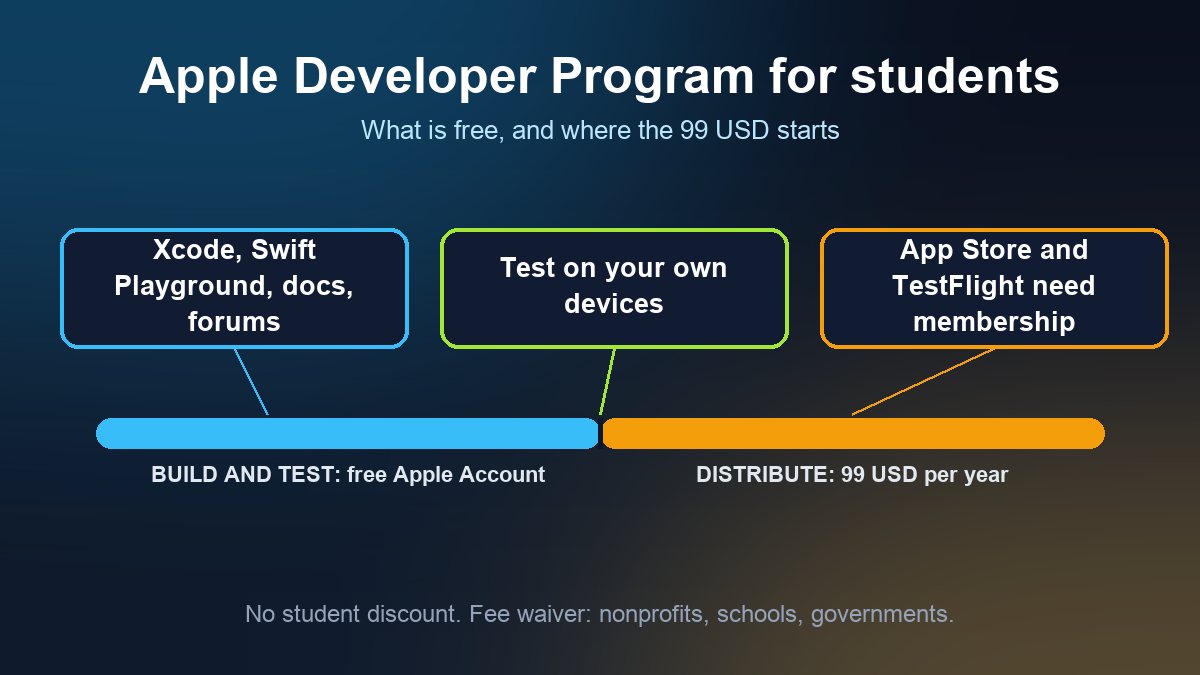
- App store accounts: the Apple Developer Program costs $99 a year and a Google Play developer account has a one-time $25 registration fee. Some builders publish under your own account, others under theirs.
- Hardware: kitchen printer or tablet, if the platform needs one.
Features that make the difference
Menu update speed
You run out of salmon at 7 PM on a Friday. The right answer is a single toggle that hides the item instantly. If menu changes need a support ticket, keep looking.
Order management
You need a live order screen, adjustable prep times, automatic status messages to the customer and, ideally, printing to the kitchen.
Customer data ownership
Ask every vendor in writing: can I export my customer list and order history, and do you use it to market other restaurants? Your customer list is the reason to have your own app at all.
Rules your app has to respect (US and UK)
- Allergens: show allergen information clearly. The FDA lists nine major food allergens in the US, including sesame; in the UK, follow the Food Standards Agency allergen guidance (14 allergens).
- Calorie labeling: chains with 20 or more locations must follow the FDA menu labeling requirements, which also apply to online menus.
- Accessibility: the US Department of Justice has published guidance on web accessibility and the ADA. Readable text sizes, labeled buttons and screen-reader support protect you and widen your audience.
How to choose in one weekend
- Write down your must-haves (from the first list above) and your monthly order volume.
- Shortlist one option from each category that fits.
- Build your real menu in a free trial and place test orders from an iPhone and an Android phone.
- Calculate the total monthly cost at your order volume, including commissions and processing.
- Pick the one your staff found easiest to update during a busy shift.
If you want a branded app with ordering, loyalty and push notifications for a flat subscription, you can start a free build at apps.2createapps.com. For more ideas, see our guide to must-have restaurant app features.
Frequently asked questions
Do restaurants need their own app or is a mobile ordering website enough?
A mobile ordering website is enough to start taking orders. A branded app adds push notifications, loyalty and an App Store/Google Play listing, which mainly pays off for restaurants with regular repeat customers.
How much does it cost to publish a restaurant app?
Besides the builder's subscription, Apple charges $99 a year for the Apple Developer Program and Google Play charges a one-time $25 registration fee. Card processing fees apply to every order.
What is the difference between a commission-free platform and a delivery marketplace?
A commission-free platform charges a fixed subscription and the customer orders directly from you. A delivery marketplace brings you new customers but takes a share of each order and controls the customer relationship.
Does my restaurant app need to show allergens and calories?
Allergen information should always be clear (FDA lists nine major US allergens; the UK FSA lists 14). Calorie labeling is required for US chains with 20 or more locations, including on online menus.