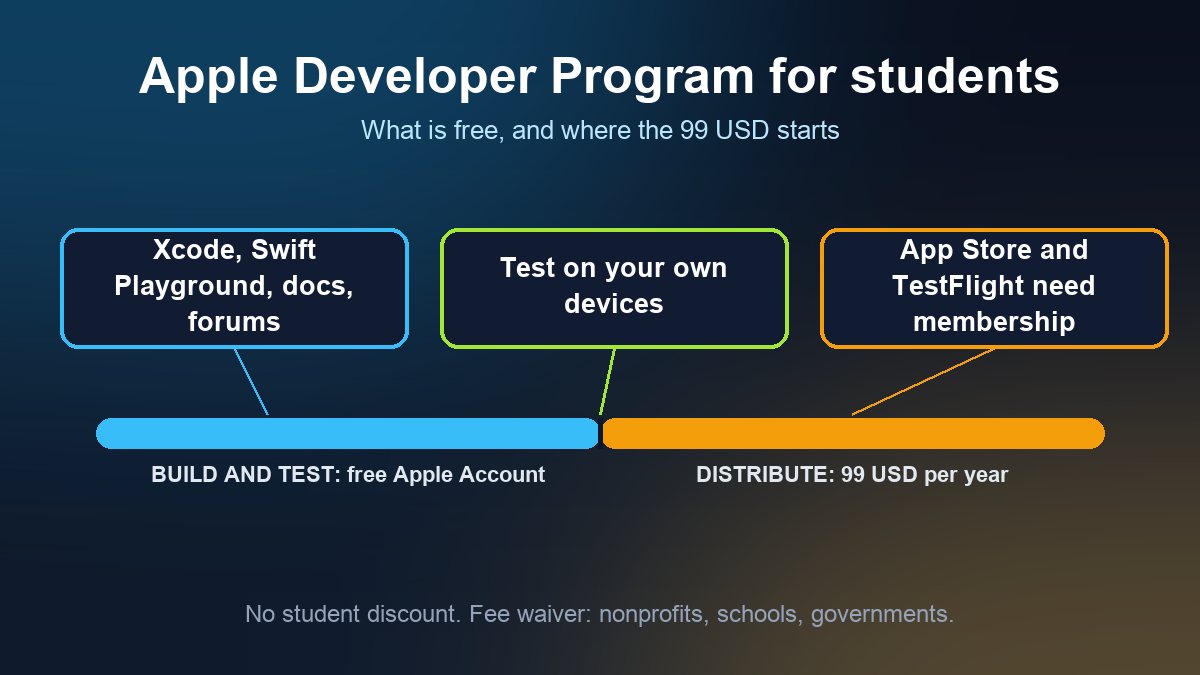
Short answer: there is no Apple Developer Program for students and no student discount. Apple's own enrollment FAQ says so, and adds that learning to build apps does not require membership: with just a free Apple Account you can use Xcode and Swift Playground, read the documentation, use the developer forums and test your app on your own devices. You only need the paid membership, 99 USD per year, when you want to distribute an app through the App Store or TestFlight. On Android the equivalent is a one-time 25 USD Google Play fee, and you must be 18 to sign up.
This guide is for students, first-time builders and the small business owners who hire them: what the free account really covers, the exact point where you have to pay, who qualifies for the fee waiver (it is not students), and what a first publish looks like if you are under the legal age. Every fact below comes from Apple and Google documentation and was checked on 3 November 2026.
What you get for free with an Apple Account
Apple's membership comparison page says that anyone who signs in with an Apple Account can start building with Xcode, sample code, videos and documentation. To reach extra resources, such as beta versions of Xcode and operating systems, you register as an Apple developer for free. Apple's enrollment FAQ lists what a student or hobbyist keeps without paying:
- Swift Playground and Xcode
- Software downloads, documentation and sample code
- The Apple Developer Forums and Feedback Assistant
- Testing your own apps on your own devices
For a class project, a portfolio app or a prototype for a local shop, that is enough to build and demonstrate a working app on your own iPhone. If you are still deciding whether to code at all, our guide to building a mobile app without coding covers the no-code route.
Where the 99 USD starts
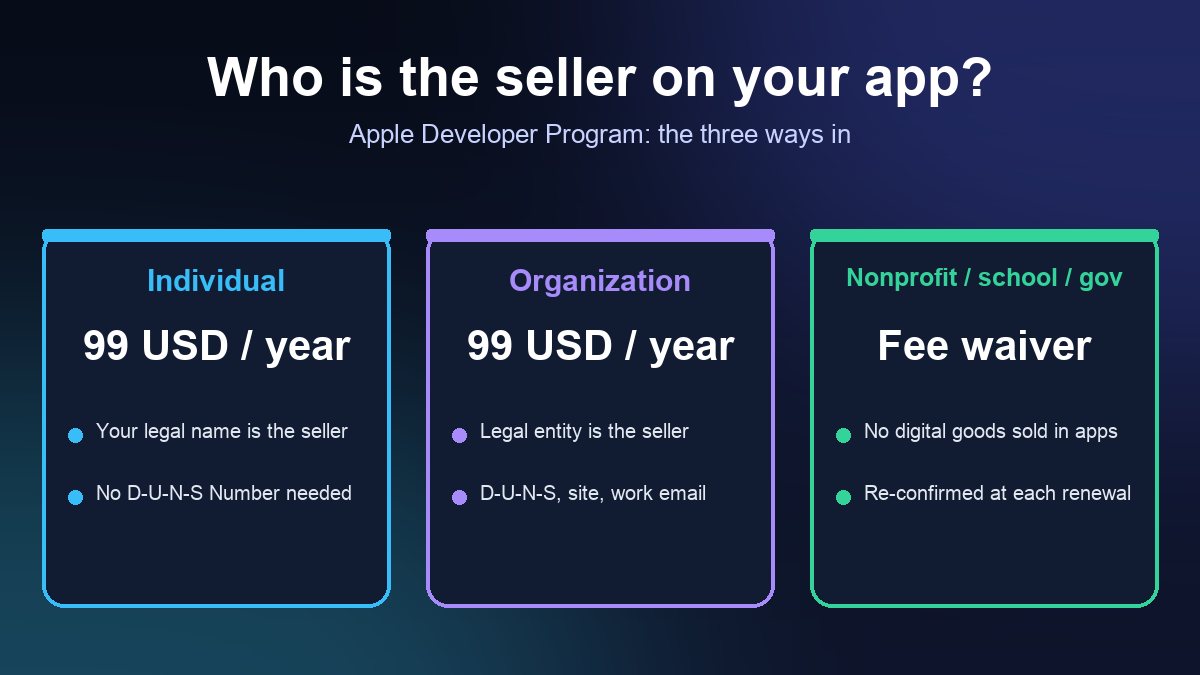
Apple's page puts the line in one sentence: to build more advanced app capabilities and distribute apps, you need to be an Apple Developer Program member (or Enterprise member). The fee is 99 USD per membership year, in local currency where available, and prices can vary by region. What the paid membership adds, per Apple's membership details, includes:
- Distribution on the App Store, through App Store Connect
- TestFlight, so you can send a beta build to testers
- Xcode Cloud, certificates, identifiers and profiles, and Mac software notarization
- Capabilities such as push notifications, Sign in with Apple, CloudKit and in-app purchase tools
So the practical rule is simple: build and test for free; pay the first 99 USD when the answer to "do other people need to install this?" becomes yes. Even a private beta for classmates or a client goes through TestFlight, which needs the paid account. Before you commit, what an app really costs to build shows where the developer fee sits next to design, hosting and review time.
Who gets the fee waiver (it is not students)
The waiver is the thing students most often hear about and misread. Apple's fee waiver page says you can request it if you are a nonprofit organization, an accredited educational institution or a government entity, and that you must be a legal entity that is not an individual, sole proprietor or single-person business. You also must not have signed the Paid Applications Agreement for paid apps or in-app purchases. Apple's FAQ adds that accredited educational institutions worldwide can enroll with a fee waiver so that their students can build apps.
What that means in practice:
- A student enrolling alone does not qualify. An individual is excluded by name.
- A school can enroll, and students work under it. If your school or university has a program, ask your instructor or IT office whether the institution is already a member before you pay for your own.
- A club that is not a legal entity does not fit the wording. That is our reading of Apple's criteria, so check with Apple if your group is registered as a nonprofit. Our guide to the Apple Developer account for a business or nonprofit covers the D-U-N-S number and the waiver steps.
- The waiver is for free apps. Apple requires that you have not signed the Paid Applications Agreement, which covers paid apps and in-app purchases, so plan on a free app.
Enrolling as a student: the details that cause delays
Apple's enrollment page lists what you need as an individual: an Apple Account with two-factor authentication turned on, and being the legal age of majority in your region. Three details trip people up:
- Use your legal name. Apple says an alias, nickname or company name in the first and last name fields of your Apple Account delays approval. As an individual, your personal legal name is what shows as the seller on the App Store.
- Pay with your own card. If you pay by credit card as an individual, Apple says it must be your own. Otherwise enrollment is delayed and you are asked for a copy of government-issued photo identification.
- Under the age of majority? Apple's enrollment page says a parent or guardian can enroll with their Apple Account and share their account with you. Contact Apple through the link on that page for the details before you enroll.
If you plan to run the app as a business, a separate organization account is usually cleaner than an individual one, and Apple notes that individual and organization accounts are different enrollments. Switching later means contacting Apple, so decide before you publish.
Android: cheaper to join, but with its own gates
Google's Play Console Help says there is a US$25 one-time registration fee, paid by credit or debit card (prepaid cards are not accepted), and that you must be at least 18 years of age to sign up. Two points matter for a first-time student developer:
- Account type. Google offers personal and organization accounts. Personal accounts must meet testing requirements before distributing apps and verify access to an Android device through the Play Console mobile app.
- The closed test. For personal accounts created after November 13, 2023, Google requires a closed test with at least 12 testers opted in continuously for 14 days before you can apply for production access. Start recruiting testers early; a classmate group is a natural fit.
Both stores are covered step by step in our guides to submitting to the Apple App Store and publishing on Google Play, and the commission side is in App Store and Google Play fees.
Swift Student Challenge: the real student program
The nearest thing Apple has to a student program is not a membership at all. The Swift Student Challenge invites students to build an app playground; Apple says winners are chosen for innovation, creativity, social impact or inclusivity, and that you can receive an award up to three times. Dates and eligibility change each cycle, so read the current requirements on Apple's page and use the Notify Me button there rather than relying on a date quoted in an article.
A sensible plan for a first app
- Weeks 1 to 4: build with the free Apple Account (or a no-code builder) and test on your own phone.
- Before you invite testers: decide who the account holder is: you, a parent or guardian, your school, or a registered organization. That decision controls the seller name and who gets the review emails.
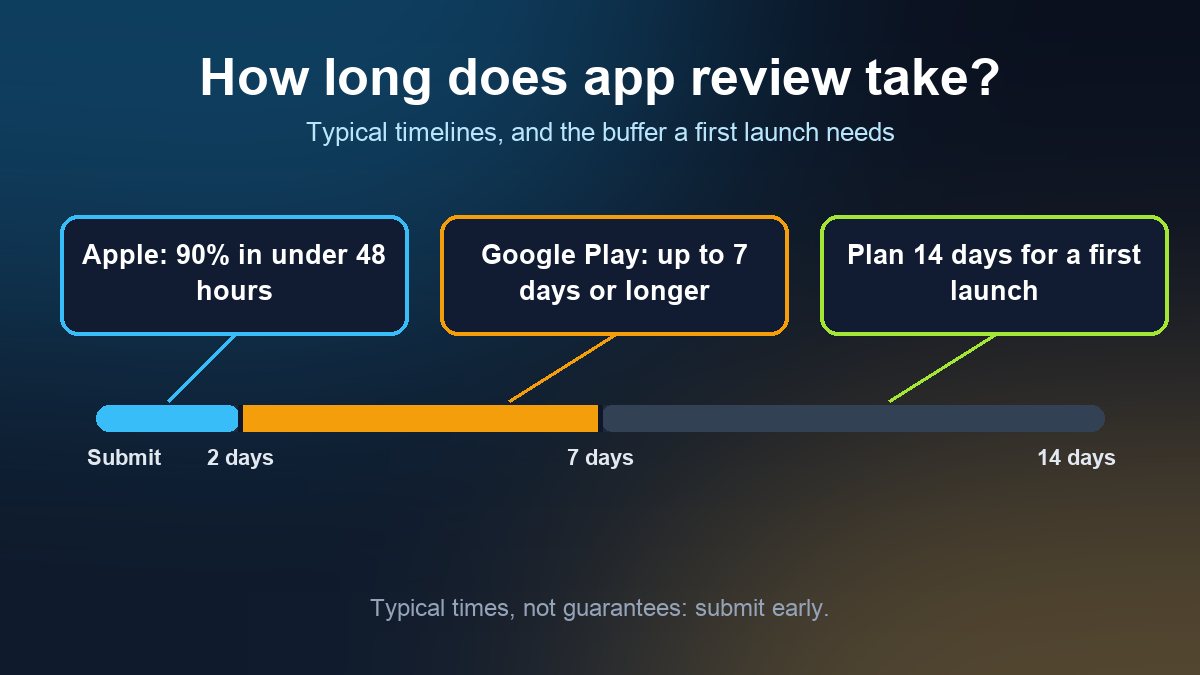
- When you need testers or customers: pay the 99 USD, use TestFlight and plan for review; see how long App Store and Google Play review take.
- If you also want Android: pay the 25 USD, and start the 12-tester, 14-day closed test as early as you can.
Sources: Apple Developer, Enrollment support (FAQ); Apple Developer, Enroll in the Apple Developer Program; Apple Developer, Compare memberships; Apple Developer, What's included; Apple Developer, Fee waivers; Apple Developer, Swift Student Challenge; Google, Get started with Play Console; Google, App testing requirements for new personal developer accounts. All pages checked 3 November 2026.
Frequently asked questions
Is the Apple Developer Program free for students?
No. Apple says there is no developer program specifically for students and lists no student discount. Learning to build apps and testing on your own devices is free with an Apple Account; distributing an app requires the 99 USD yearly Apple Developer Program membership.
Can I publish an app on the App Store without paying?
No. Distribution requires Apple Developer Program membership. The fee waiver is only for qualifying nonprofit organizations, accredited educational institutions and government entities, and it excludes individuals, sole proprietors and single-person businesses.
Can a 16 or 17 year old publish an app?
On Apple, a parent or guardian can enroll with their Apple Account and share the account if you are under the age of majority in your region. On Google Play you must be at least 18 to register. Check the current wording on both pages before you start.