
Document scanner
Scanner App
Scan to PDF and copy text, on your device, with no account and no subscription.

- Free with ads · Remove Ads in-app
- iPhone & iPad
- Age 4+
- English
On a computer? Scan with your iPhone camera.
See it in action
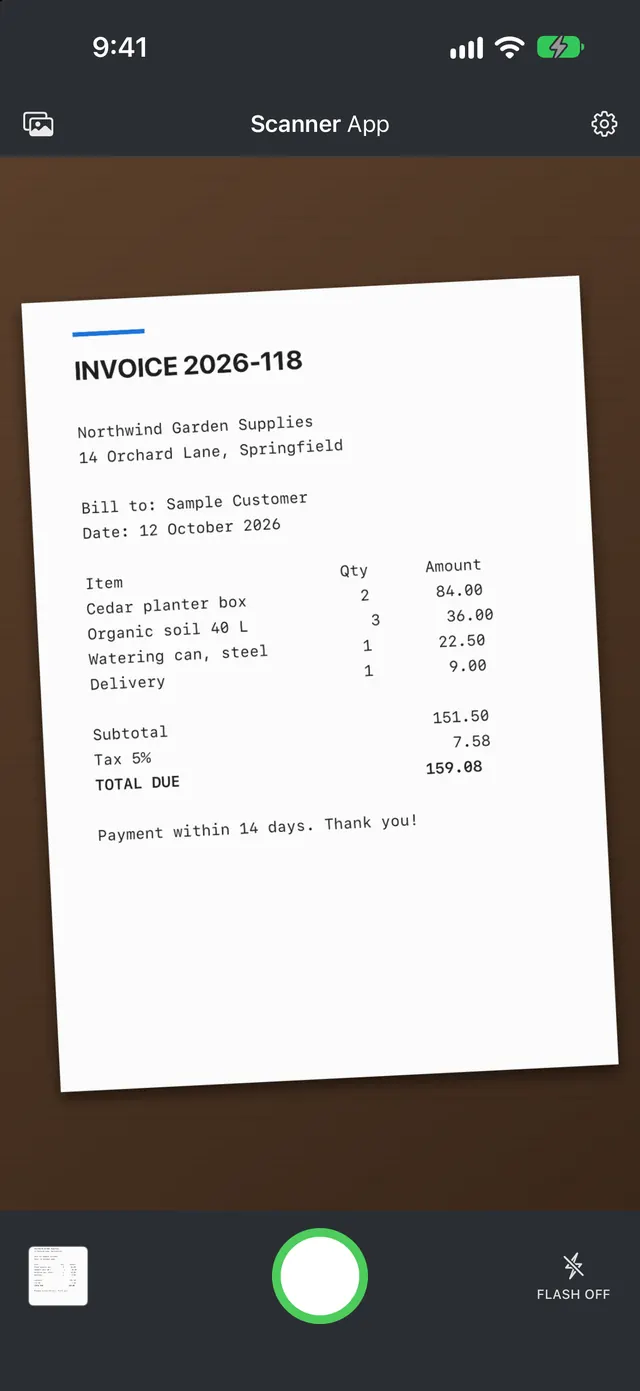
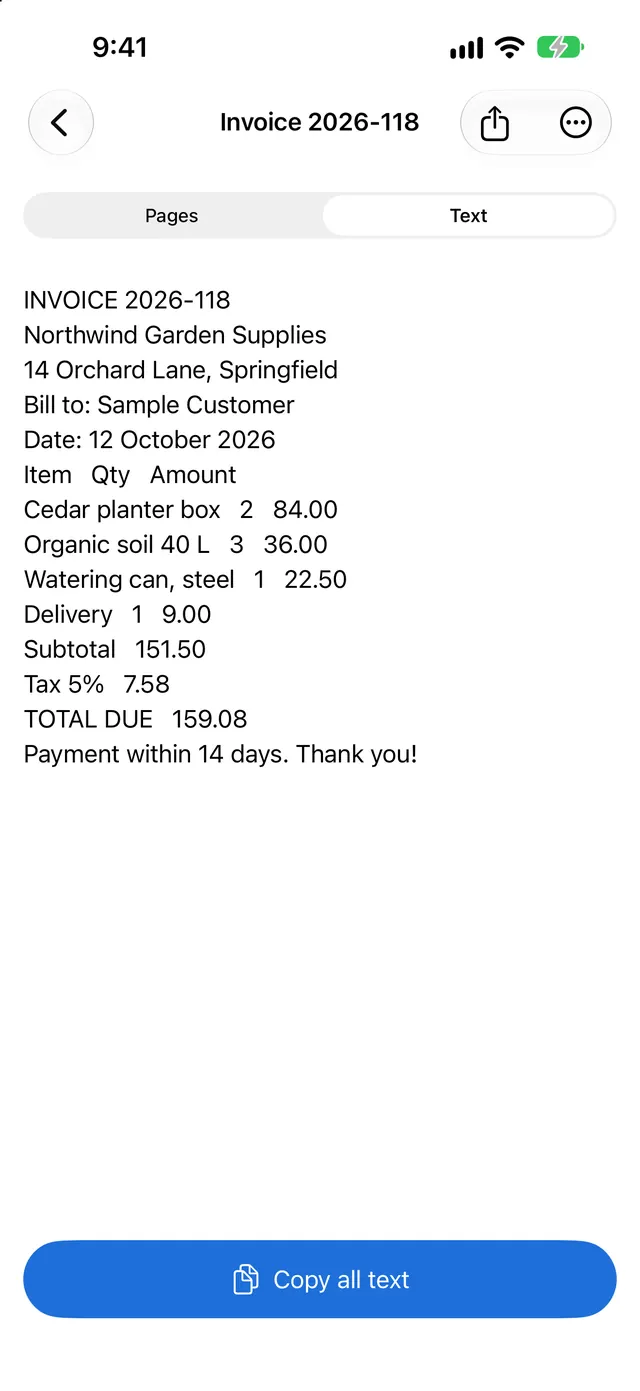
Point your camera at a document, receipt or note. Scanner App finds the edges, straightens the page and saves it. Share it as a PDF or image, or copy the text out of it with on-device text recognition.
Why you'll like Scanner App
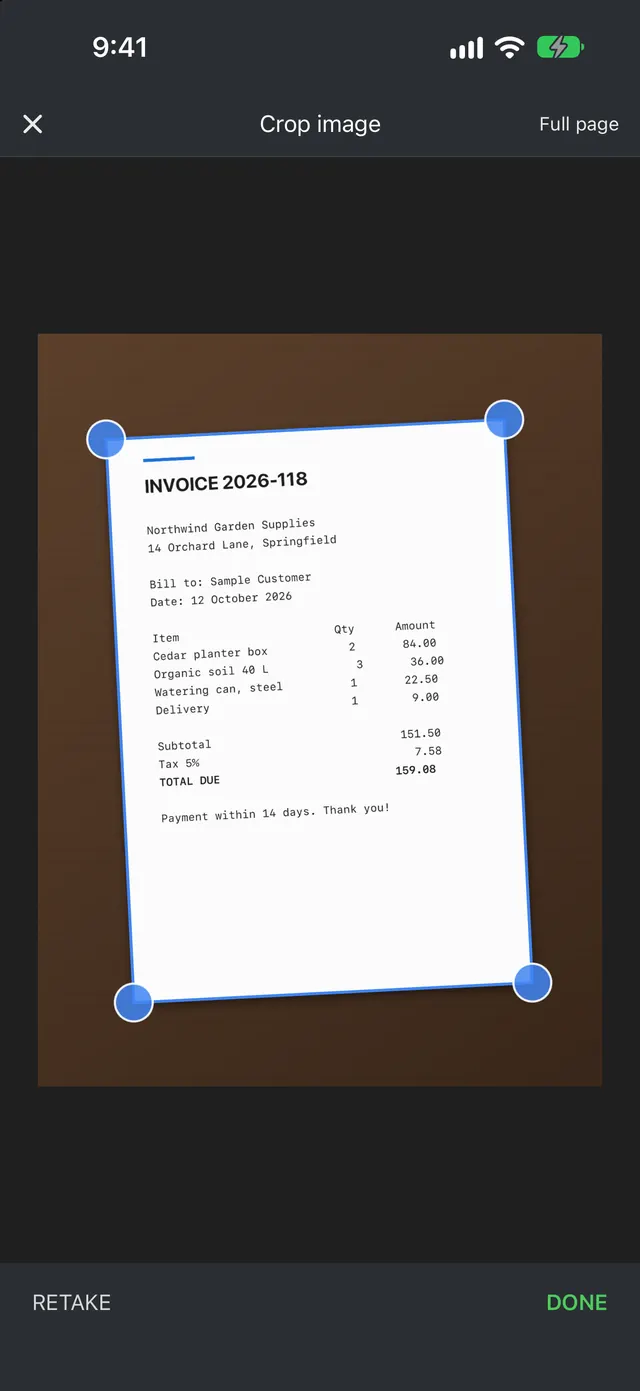
Automatic edge detection
The camera finds the page edges for you. Adjust the four corners if you like, tap Done and the page is straightened.
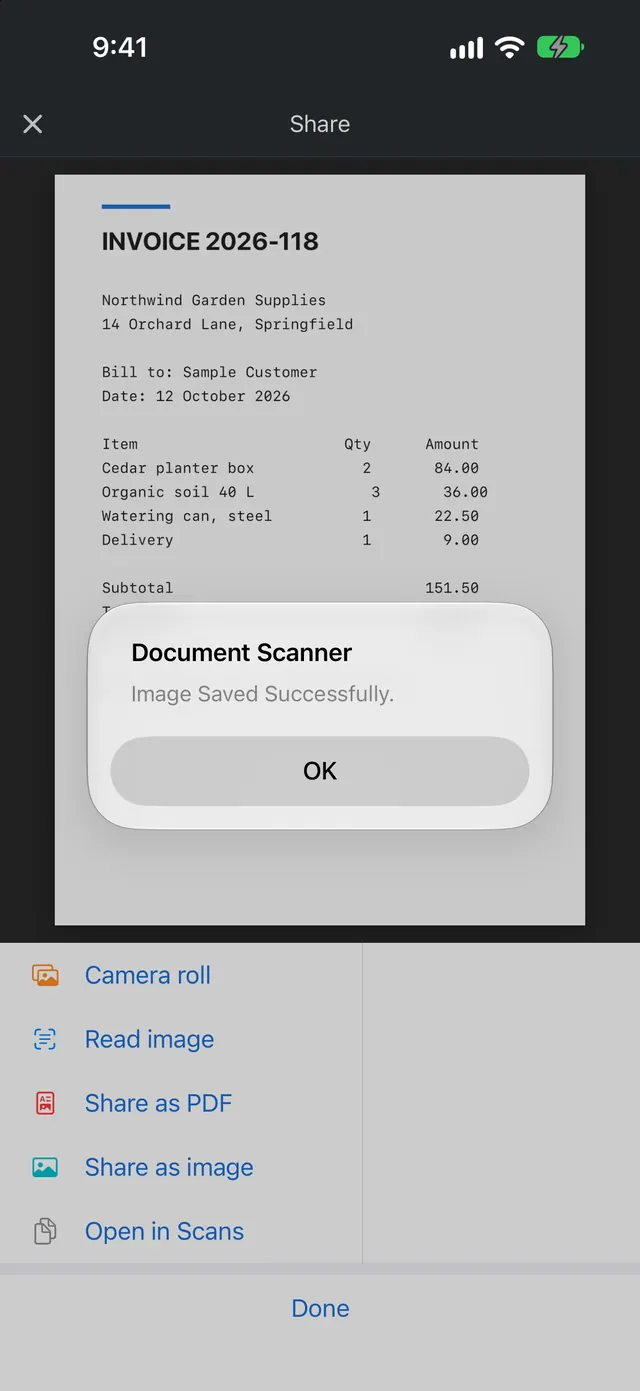
PDF, image or text
Share as a PDF or an image, save to your camera roll, or read the text from the page and copy it.
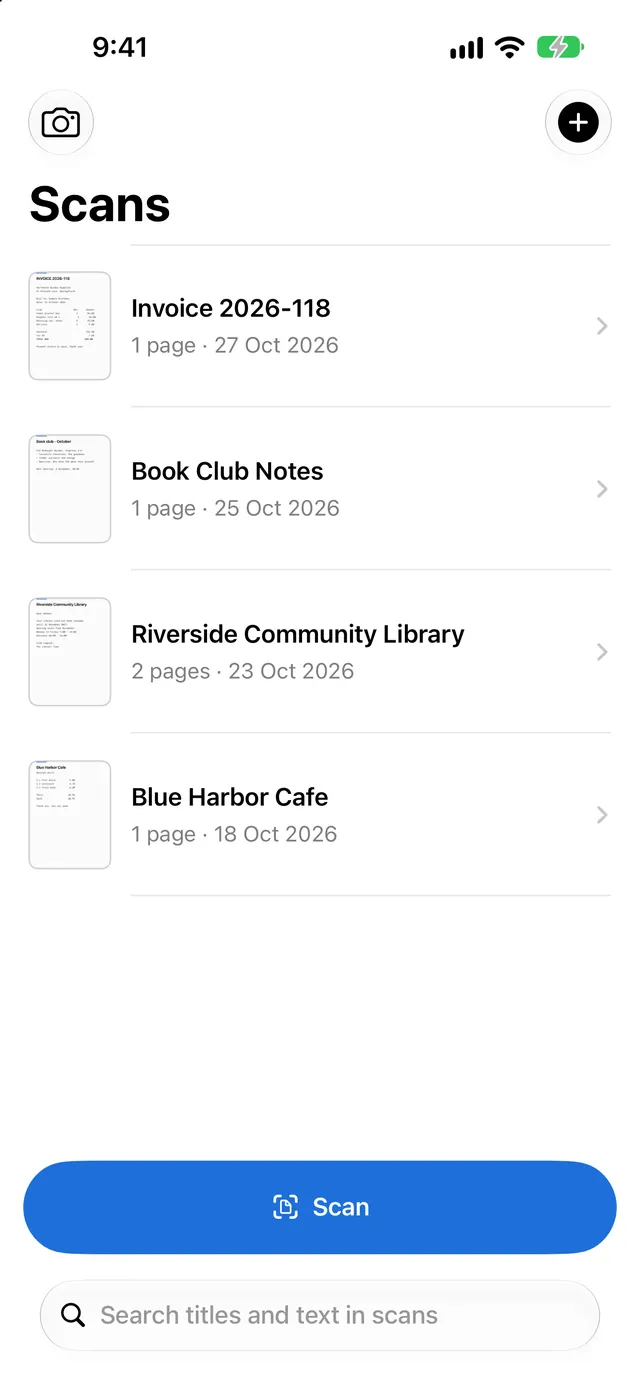
Find any scan
Your scans library searches inside the text of every scan. Add pages later and import from Photos or Files.
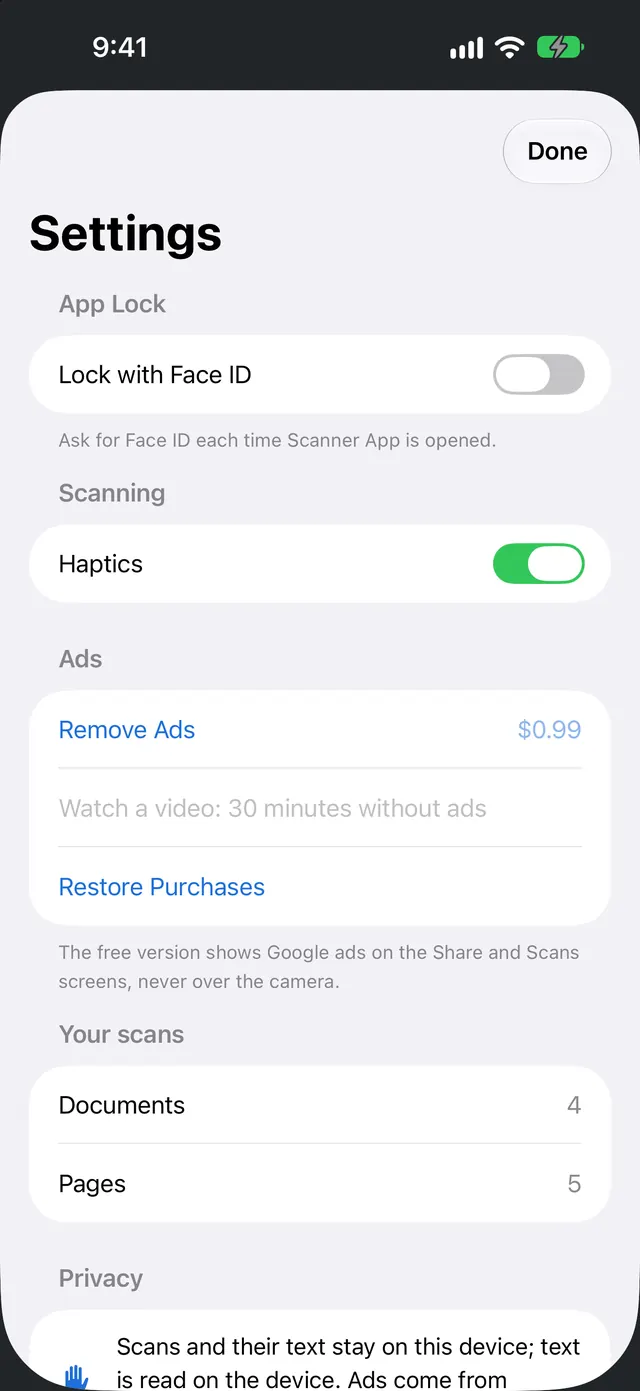
Private by design
Scans and their text stay on your device unless you share them. Lock the app with Face ID or your passcode.
How it works
- Open the app: the camera is ready.
- Point it at a page and let it find the edges.
- Adjust the corners if needed and tap Done.
- Share as PDF or image, or copy the text.
Questions and answers
Is it free? Does it have ads?
Yes, it is free with ads. Ads only appear on the Share screen and the Scans list, never over the camera or crop screen. A one-time Remove Ads purchase turns them off. No subscription.
How do I restore Remove Ads?
Open Settings in the app and tap Restore Purchases, signed in with the same Apple Account. Refunds are handled by Apple at reportaproblem.apple.com.
Where are my scans stored?
On your device. Text recognition runs on the device too. Scans only leave your phone when you share them. You can lock the app with Face ID or your passcode.
Can I scan several pages into one PDF?
Yes. Scans can have several pages, you can add pages later, and you can import images from Photos or Files.
Which devices does it run on?
Scanner App runs on iPhone and iPad. It is downloaded from the App Store and plays offline once installed.
How do I get help?
Email social@2createapps.com with your device model, iOS version and what happened. We reply within a few business days.
Support, privacy and terms
- Email support: social@2createapps.com
- Scanner App privacy policy
- Terms of service
- Scanner App on the App Store
Scanner App · Free with ads · Remove Ads in-app


Want an app like Scanner App?
Scanner App is built and run by the 2createapps studio. We do the same for businesses and creators: new iPhone and Android apps, revival of older apps for today's devices, App Store optimisation and trailers, and ads or in-app purchases set up the right way.
- New app builds
- App revival and modernisation
- ASO, trailers and landing pages
- Ads and in-app purchase setup
Every project is quoted individually. Tell us what you need and we will reply with a plan and a quote.
© 2026 HOSTAO L.L.C. Scanner App - Documents & PDF is published on the App Store by HOSTAO L.L.C under the 2createapps brand. Apple, the Apple logo, iPhone and iPad are trademarks of Apple Inc. App Store is a service mark of Apple Inc.